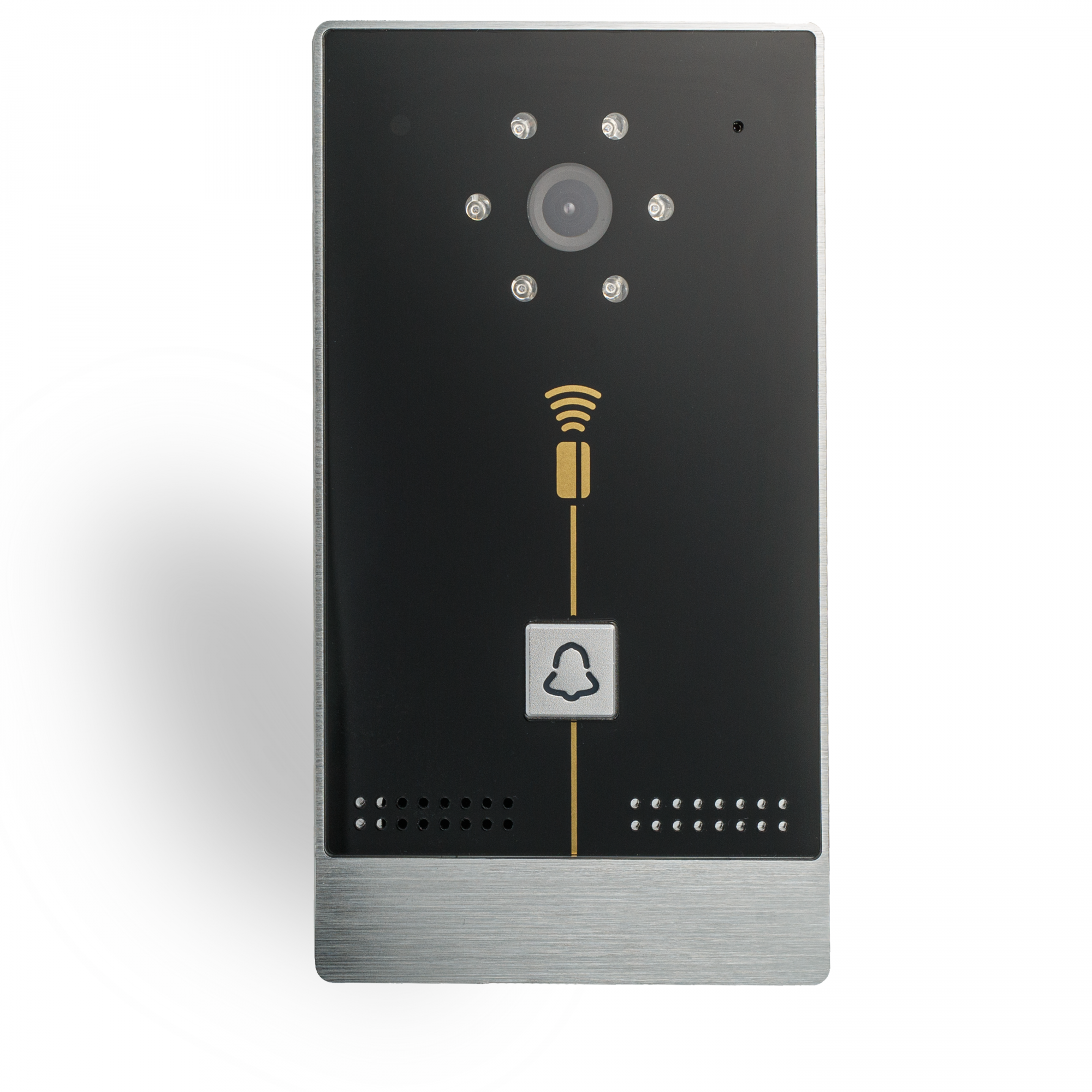

VIDEO INTERCOM
Video intercom calling panel. Has a built-in 2MP camera with IR illumination, a proximity card reader, a relay for connecting the electric lock. Has a built-in 2Gb memory to record photos/video. Supports SIP protocols, DLNA. Proximity RFID 125 kHz card reader To add a new key, you need to add the CardReader_v2.txt script (check how to use it in the description of the script). You can find the script in LT Setup, Scripts tab, press “Add script”, and choose CardReader_v2.txt script from Security folder. Also, you can make a snapshot from IC’s camera by following this link: http://IP address of your IC:55556/snapshot. Here, the IP address of your IC should be filled manually (with the IP address of your intercom).
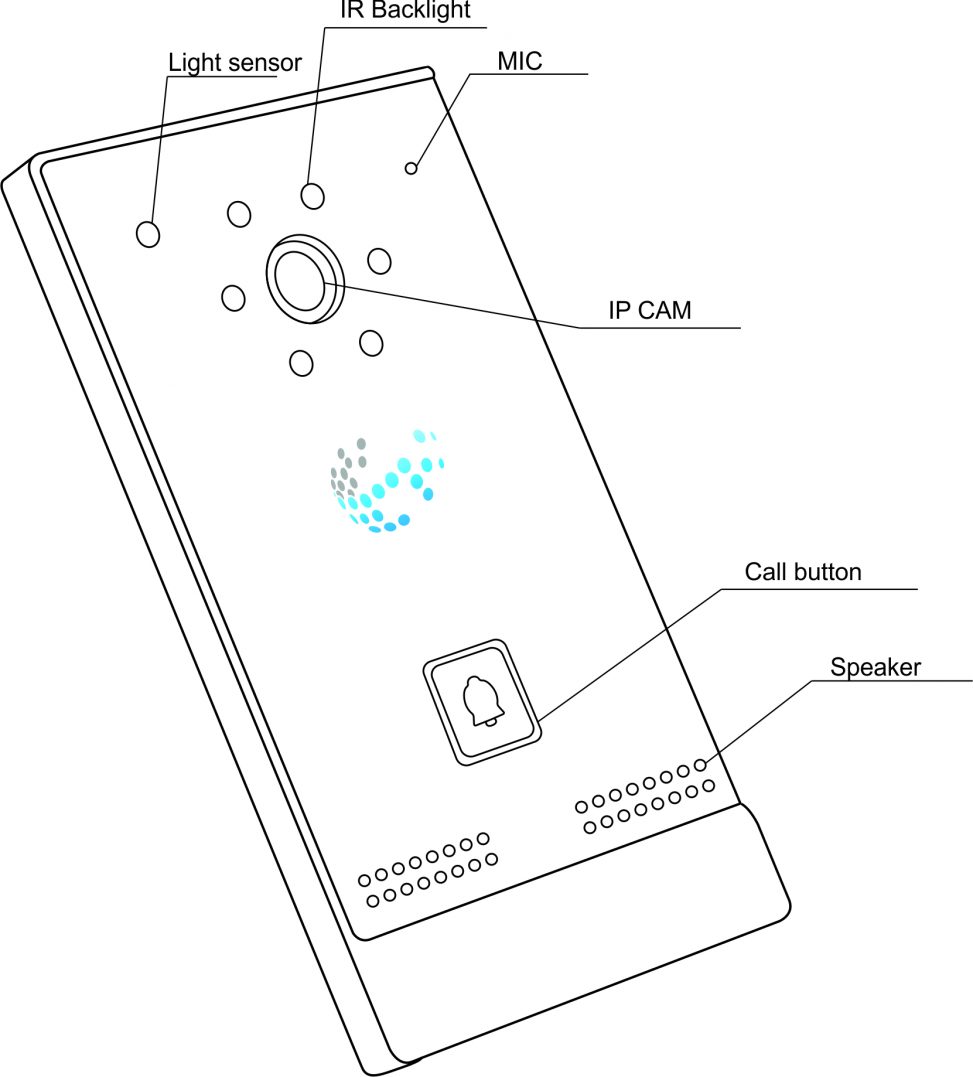
Module view
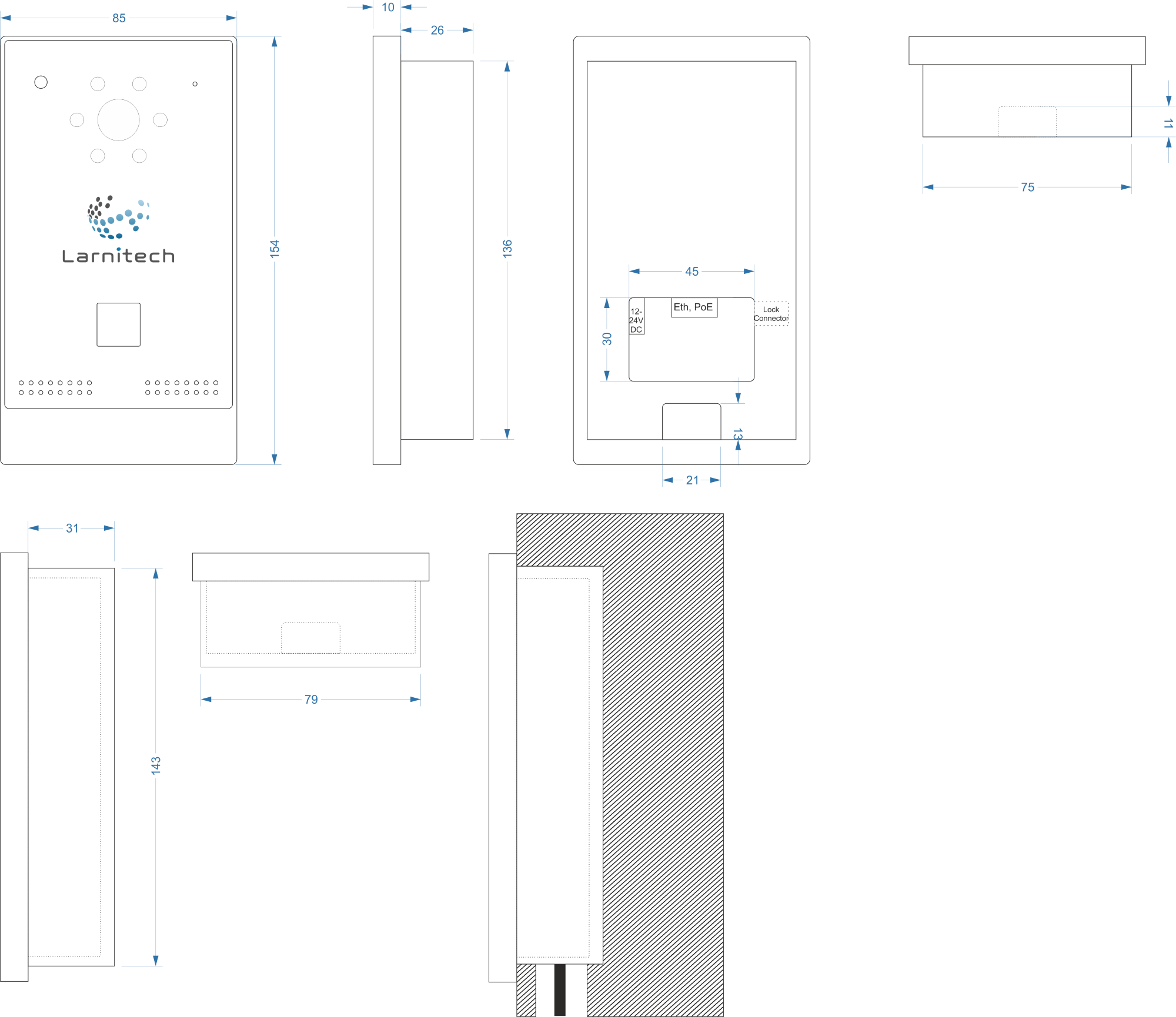
Module dimensions and installation
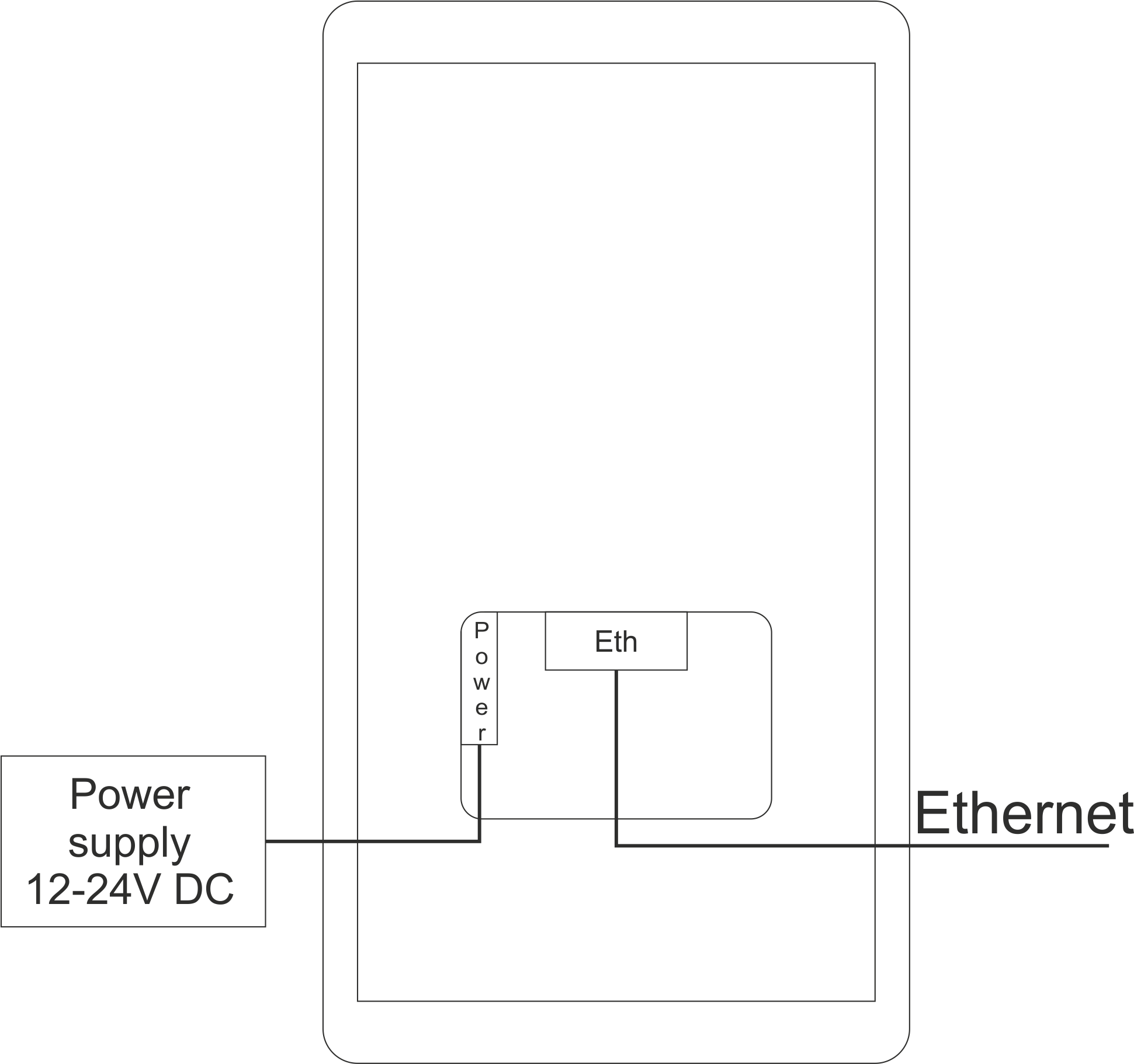
Connection example using power supply
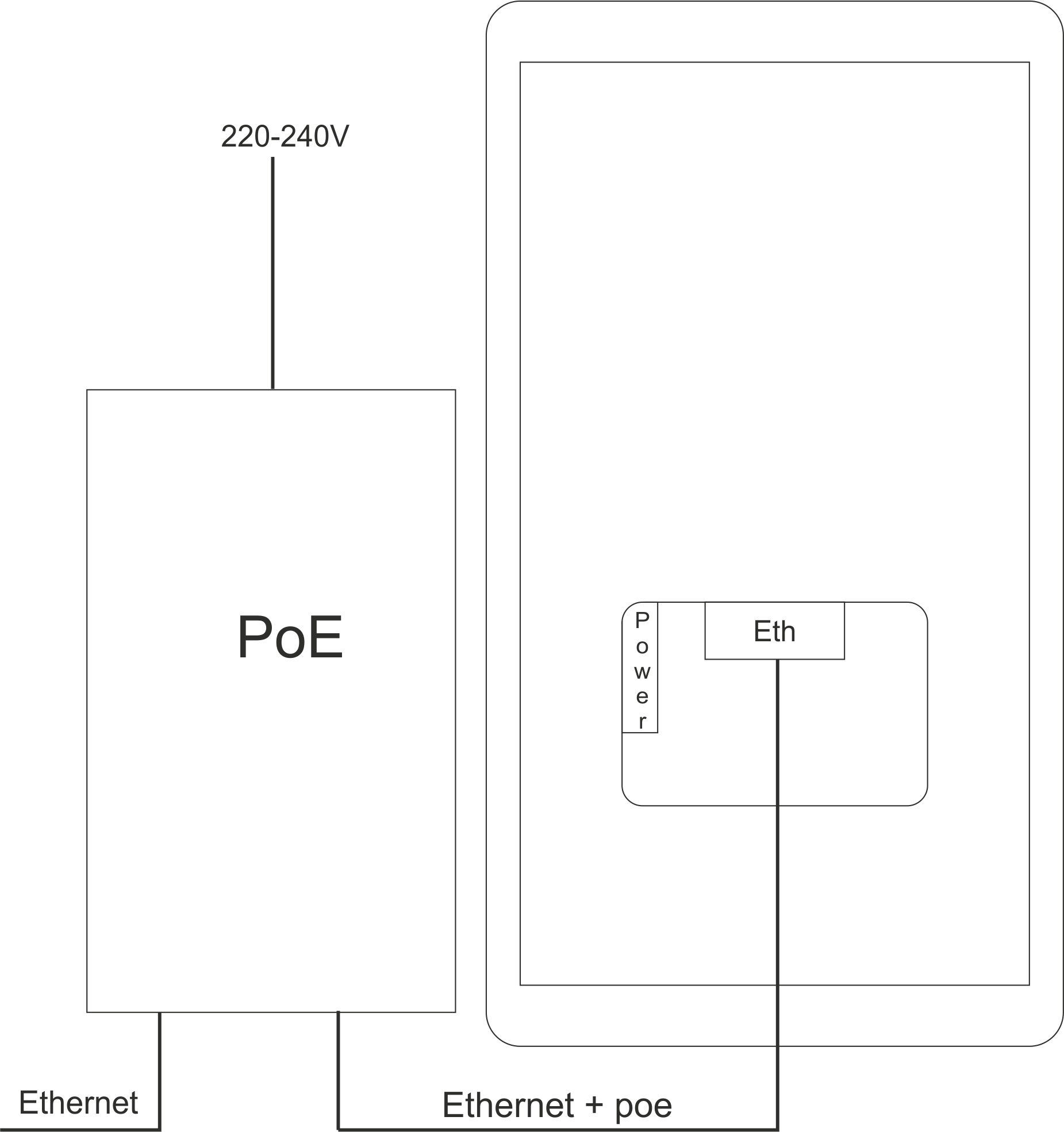
Connection example using PoE
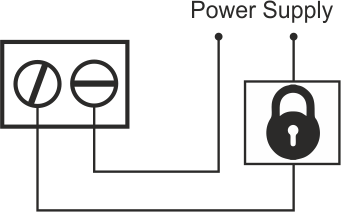
Lock connection
IR Backlight description
IR Backlight turns on when the camera is on and the illumination level is below 10%. Every 10 minutes Backlight turns off and update illumination level. If illumination level upper 10% backlight stay off, else turns on.
Module parameters
| Camera | Full HD (1920×1080) |
| IR lighting | 1 m |
| Card reader | RFID 125kHz |
| Connection type | Ethernet |
| Protocols | SIP, DLNA |
| Power supply |
11.5 … 27.5 V DC, Passive POE 24V |
| Max current | 100 mA |
| Max cable length |
POE (8 wire in UTP-5e) 50-80 m PS 24V – 100 m PS 12V – 15-20 m |
| Relay |
Potectial free contact 2A, 24 V DC/250 V AC |
| Case material |
Aluminium alloy panel, Waterproof |
| Protection | IP65 |
| Mounting type | Wall surface mount |
| Temperature range | -20…+50 °C |
| Dimensions | 153x85x45 mm |
| Weigth |
620 g |
To purchase a product you like, you need to order it. There are several scenarios for how this can be done.
- Choose the product you like and click the "Order" button. When placing an order, fill out the form. Enter information in the fields: full name, phone number and e-mail. Then the manager will call you back to confirm your consent to make the purchase.
- Select the product you like and click the "Add to cart" button. Then go to the cart and click "Checkout". Then fill out the form with contact information and send an application. The manager will contact you for further discussion.
- Go to the product card and click "Buy in one click". After clicking, you need to fill out the form and send an application. The manager will contact you for further discussion.
We work with individuals and legal entities. And we provide two payment options at once.
- Cash. You sign the shipping documents, pay in cash, receive the goods and the check.
- Cashless payments. We accept Visa and MasterCard. Available with courier delivery.
We can deliver your order with our own resources, provided that you are in the city. Or through 4 delivery options:
- Courier delivery. Courier delivery works from 9:00 to 19:00. When the goods arrive at the warehouse, the courier service will contact to clarify the details. The specialist will offer to choose a convenient delivery time and specify the address.
- Pickup from the store. To receive an order, contact an employee at the checkout area and tell them the number.
- We cooperate with postamats. Shelf life is 3 days.
- We provide postal delivery via Russian post. When the order arrives at the department, a notification of the parcel will be sent to your address. You can open the box yourself only after paying for the order.
An additional tab for posting information about goods, delivery or any other important content. It will help you answer the buyer's questions and dispel his doubts about the purchase. Use it as you see fit.
You can remove it or return it back by changing one checkbox in the component settings. Very comfortably.